
Job Costing Software for Service Contractors: What to Know Before You Buy

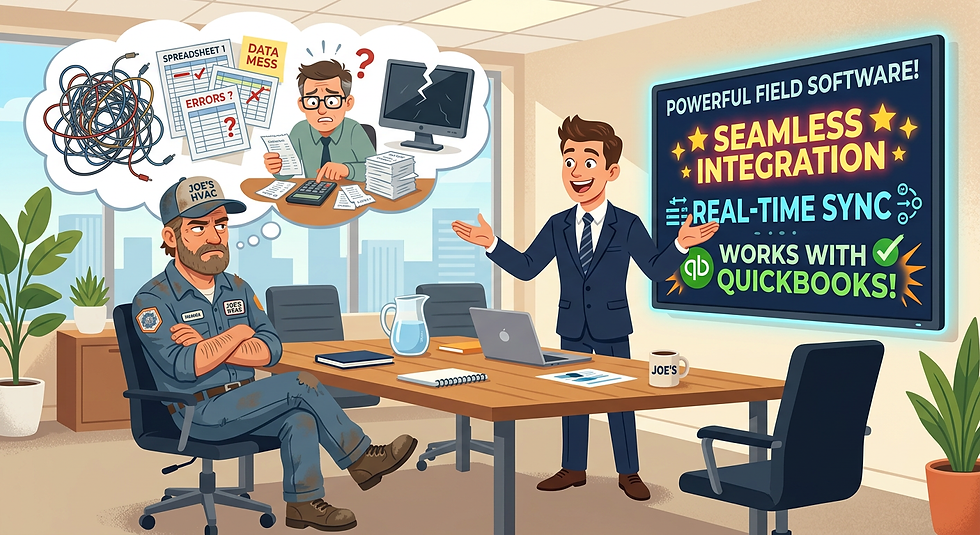
If you’ve been shopping for job costing software, you’ve probably sat through a demo that left you nodding along, thinking, “This is exactly what we’ve been missing.” The salesperson hit every pain point. They showed you real-time labor tracking, seamless QuickBooks sync, automated billing, and dashboards that would make your accountant weep with joy. It looked polished. It felt effortless.
Then you signed the contract, went live, and reality showed up uninvited.
We’ve been there. As someone who enjoys working with service contractors, we’ve experienced firsthand what happens when the gap between the sales pitch and the actual software is wider than you expected. This blog isn’t meant to bash any particular product — there are solid solutions out there. But we want to give you the honest, practical guidance we wish every service contractor searching for job costing softwar had when they started down this road.
The Sales Pitch vs. The Reality
Software sales is a competitive business, and the pressure to close deals means you will hear some version of these statements in nearly every demo:
“It integrates seamlessly with QuickBooks.”
“Setup is simple — you’ll be up and running in days.”
“Everything syncs automatically in real time.”
“You won’t have to do any double entry.”
“Our support team will walk you through everything.”
None of these statements are necessarily lies. But none of them tell the whole story either. The devil is in the details, and those details rarely make it into the demo.
The QuickBooks Integration Problem With Job Costing Software for Service Contractors
Let’s talk about QuickBooks specifically, because this is where we see the most confusion, frustration, and outright data headaches for service contractors.
QuickBooks is the accounting backbone for a huge percentage of small and mid-sized contractors. It handles your chart of accounts, payroll, invoicing, tax reporting, and vendor payments. When a job costing platform claims to “integrate” with QuickBooks, what exactly does that mean?
What “Integration” Actually Means
The word “integration” can describe anything from a deep two-way sync to a basic CSV export that you upload manually. Most contractor software falls somewhere in the middle, and understanding where your prospective system lands on that spectrum is critical before you commit.
Here are the most common types of QuickBooks integrations you’ll encounter:
One-way push: Data flows from the job costing software into QuickBooks, but not back. Changes made in QuickBooks don’t reflect in your job costing system.
Two-way sync: Data moves in both directions. This sounds ideal but requires careful configuration to avoid conflicts.
API-based real-time sync: Transactions are pushed automatically as they happen. Can be powerful, but misconfiguration can create duplicate entries fast.
Batch sync: Data is transferred at set intervals (nightly, weekly, etc.). Less likely to cause conflicts, but your books are never fully current.
Manual export/import: You export a file from one system and import it into the other. This is the most work, but also the most control.
Ask the Vendor Directly: ✓ Is this integration one-way or two-way? ✓ What triggers a sync — manual, scheduled, or real-time? ✓ What happens if a transaction is edited on both sides? ✓ Can we limit what data flows into QuickBooks? ✓ What is your process for resolving sync errors? |
Duplicate Entries: The Silent Budget Killer
One of the most common — and most damaging — problems we’ve seen contractors encounter is duplicate entries in QuickBooks. This happens when a transaction is recorded in your job costing software and then pushed into QuickBooks, but something also creates that transaction inside QuickBooks directly. Now you have double the expense, double the revenue, or both.
How does this happen? More easily than you’d think:
A project manager enters a purchase order in the job costing system. The sync pushes a bill to QuickBooks. Meanwhile, the bookkeeper also entered the same bill in QuickBooks from the paper invoice.
A technician marks a job complete and the system auto-invoices the customer. QuickBooks also has an invoice from an earlier manual entry.
A subcontractor payment is logged in the field software. The sync fires. But the check was already cut in QuickBooks directly.
Cleaning up duplicate entries is time-consuming, error-prone, and — if your books have already been reconciled — potentially requires amending reports. It can also impact tax filings if you don’t catch it in time.
Protect Yourself From Duplicates: ✓ Establish a single source of truth: either the job costing software OR QuickBooks enters a transaction — never both. ✓ Map out your workflow before go-live and document who enters what and where. ✓ Audit your QuickBooks data weekly during the first 90 days of integration. ✓ Ask the vendor if their system has duplicate detection or prevention built in. ✓ Consider starting out your sync in smaller sections with checks and balances to prevent mass data duplications |
The Overwrite Problem
Equally dangerous is the overwrite scenario. Some integrations will push updated data from the job costing system into QuickBooks and overwrite whatever was there before — including corrections your bookkeeper made.
Imagine your bookkeeper corrects a miscoded expense in QuickBooks. It’s categorized correctly, reconciled, and noted. Then the nightly sync runs and the job costing software pushes the original, incorrect transaction back into QuickBooks, reverting the fix. Your bookkeeper doesn’t notice for three weeks.
This kind of silent data corruption is difficult to detect and can undermine the integrity of your financial records. Always ask vendors:
Does a sync ever overwrite existing QuickBooks entries?
Is there a conflict resolution log we can review?
Can we set QuickBooks as the “master” for accounting data?
What happens to manually edited entries in QuickBooks after a sync?
Questions to Ask Before You Buy
A good demo will show you the software at its best, in a controlled environment, with ideal data. Your job is to push beyond the highlight reel. Here are the questions we’d ask in every evaluation:
About the Integration
Can we see the integration in a live environment with real QuickBooks data, not a demo account?
What version of QuickBooks do you support — Desktop, Online, Enterprise?
Have you tested this with a company our size and complexity?
What is your integration built on — the official QuickBooks API, a third-party connector, or something proprietary?
Do you have a certified QuickBooks ProAdvisor on staff or as a resource?
How do you handle QuickBooks updates or API changes that break the integration?
About Data Flow and Control
Can we configure exactly what syncs and what stays separate?
Can we run the integration in “read only” mode initially to test before going live?
What data lives only in your system and never touches QuickBooks?
What happens to historical data in QuickBooks when we go live?
Can we roll back a sync if something goes wrong?
About Ongoing Management
Who is responsible for monitoring the integration — your team, ours, or a shared responsibility?
What does a sync error look like and how are we notified?
How often do integrations break, and what is your average resolution time?
Do you offer a dedicated implementation specialist, or is onboarding self-serve?
What does support look like after the first 90 days?
About the Sales Claims
You said setup takes a few days. Can we speak to a customer who went live in that timeframe with a similar operation?
You said it’s seamless. What are the most common issues your customers encounter in the first six months?
Can we speak to two or three references who use QuickBooks and have been on your platform for at least a year?
It Can Be Done — But It Requires Attention
We want to be clear: we’re not saying job costing software is a bad idea, or that QuickBooks integrations never work. When implemented correctly and managed carefully, these systems can genuinely transform how a service contracting business operates. Real-time job profitability, accurate labor tracking, faster billing — the benefits are real.
But the keyword is managed. A successful integration doesn’t run on autopilot. It requires:
A dedicated person (internal or external) who understands both systems.
Clear documentation of every workflow and data handoff point.
Regular audits comparing job costing reports to QuickBooks balances.
An implementation plan that starts slow, validates data, and expands gradually.
A vendor relationship where someone actually picks up the phone when something breaks.
If the vendor can’t tell you clearly who is responsible for monitoring the integration, that’s a red flag. If their answer to every concern is “don’t worry, it’s automatic,” that’s a red flag. Automation is only as good as the rules it’s built on — and those rules need to be set up correctly from day one.
A Final Word
The right job costing platform can make a real difference for your business. But the decision deserves the same due diligence you’d apply to hiring a key employee or taking on a major subcontractor. Don’t let a polished demo substitute for hard questions, real references, and a clear-eyed understanding of what the integration actually does under the hood. One thing we love to look for are unsponsored reviews on YouTube and Reddit. You can find a lot of real experience through these two avenues.
Ask the uncomfortable questions before you sign. Push for specifics. Request a pilot period. And make sure someone on your team — or a trusted outside resource — is watching the data closely during those first critical months.
The software can promise you the world. Your job is to make sure it delivers your world — accurate books, real job costs, and a QuickBooks file you can trust.
Have questions about evaluating job costing software for your operation? We’re happy to share what we’ve learned.



Comments